
Portal CDR Tab
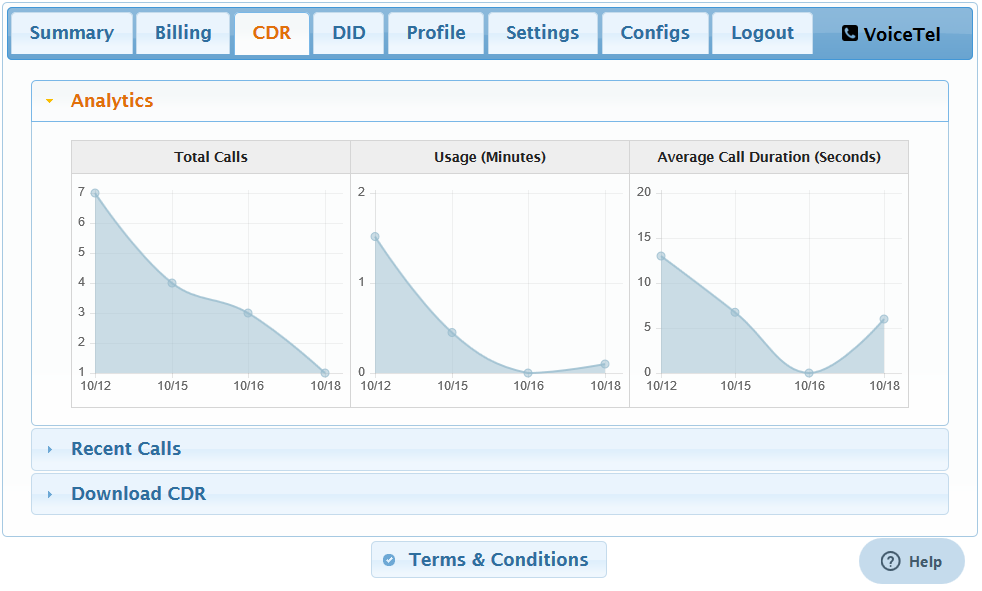
Here you can see the Total Calls,Usage in minutes and Average call Duration
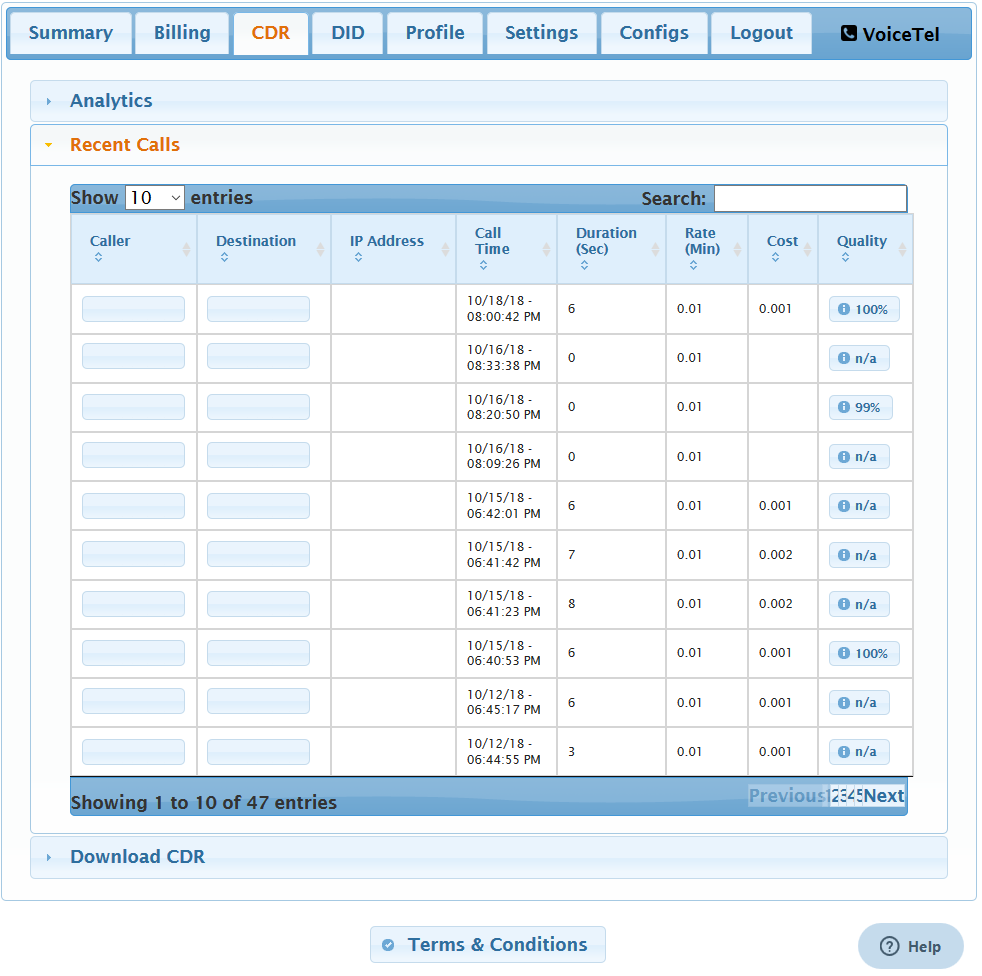
- This area will show you your recent calls.
- Caller column will show the DID of who started the call. Destination column will show the number called by the caller. IP Address column will Call Time column displays date and time of the call in the Month/Day/Year AM/PM format. Duration column displays the length of the call in seconds. Rate column displays the cost of the call per minute. Rate depends on the call destination. Cost column list the total cost of the call. Cost is shown in dollars. Quality links you to the Call Detail Record. The Call Detail Record displays extra and useful information for the call selected.

For older calls You can look up the calls but Downloading the Call Detail Record. To download the CDR you will need to select the Start Date and End date. It is recommend that you do not pull more then a week at a time. In your downloaded CDR will be lade out like your Recent Calls section with the call UUID added. To review the Call Detail Record of a call in the CDR download take your UUID and paste it at the end of https://www.voicetel.com/a/uuid/ in a web broswer.
VoiceTel offers local inbound phone service at exceptionally low monthly and per minute rates.We provide businesses and individuals access to a nationwide footprint covering most of the U.S. population.